
One grammar, not a hundred shortcuts
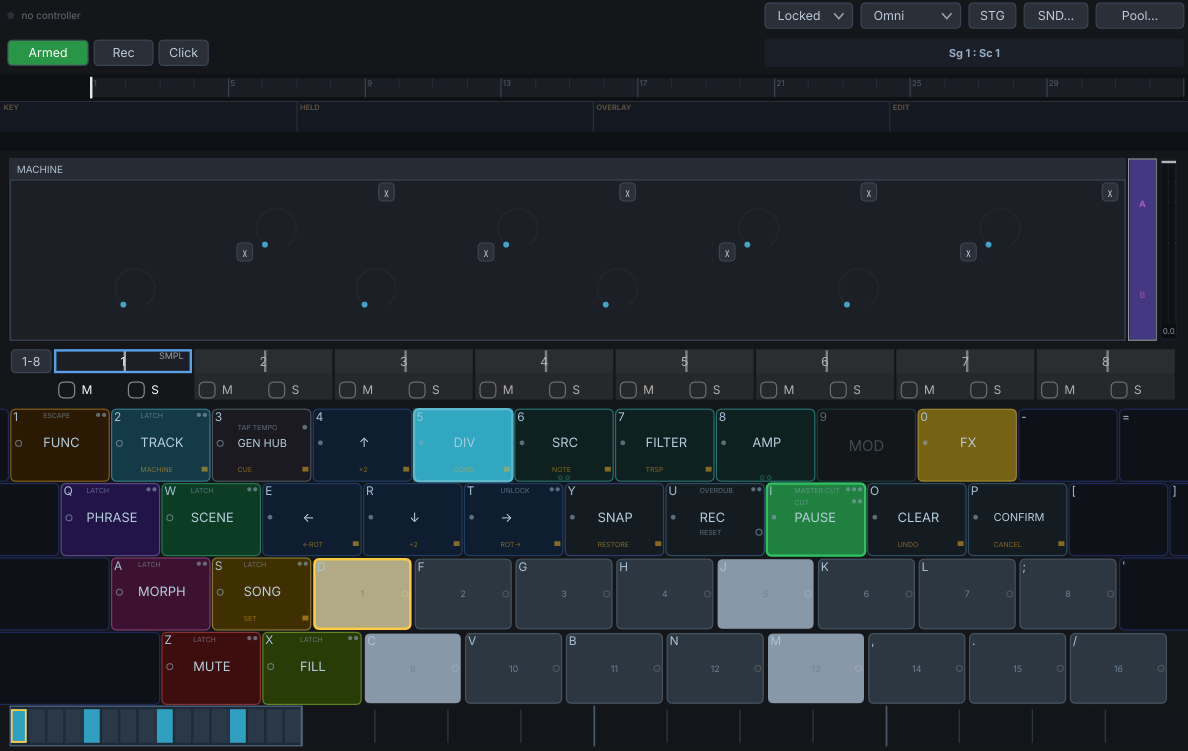
Every gesture is a scope plus a verb: hold what you mean, press what to do. Eight modifiers and five verbs compose, so learning one more scope teaches you every verb on it at once. Adding a bespoke single-purpose button is forbidden — if a feature would need its own key, it is not ready.
Learned by hand, read by colour
Each scope owns a colour, and the surface is lit by it. A fluent player works without looking at the screen, which is the yardstick the design is held to rather than a happy accident of it.
Every track picks its own engine
A track can host a sampler, an FM or analogue voice, a drum synth, a General MIDI player, a looper, a tape deck or a MIDI-out adapter. The sequencer treats them identically, and internal audio and external gear are equal citizens.
The gestures that edit are the gestures that perform
There is no design mode and no performance mode. Per-step parameter locks, trig conditions, fills and mutes are all played live, on the same keys, while the sequence is running.
Plugin and standalone, equally
VST3, CLAP and a standalone application, plus AU on macOS. Neither is the afterthought: the standalone has its own project files, file bar and quit guard, and a feature that needs a special case for either is probably wrong.
Honest about what is proven
Linux is developed and tested. macOS compiles and passes the whole suite in CI but has never been loaded in a host. Windows compiles, with two GUI suites unrun rather than passing. That table is on the front page of the docs, not buried.